
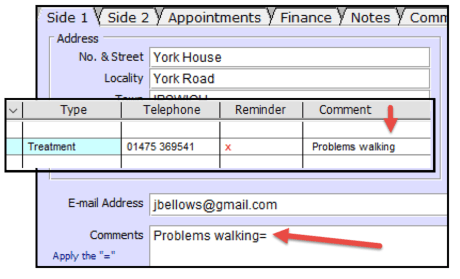
Patient Comment Always Displayed In Diary
Go to the patients card and click into the Patient Comment field. Enter a short comment on the FIRST line in this field and enter an EQUAL SIGN after it. Click OK. This comment will now always be displayed when you book future appointments in the diary (note it will not apply to appointments already booked) and when you enter a future fee.
Show First Name in the Diary and Telephone Number/Postcode
Some practices prefer to see the first name in the diary and this is really easy to turn on. If you are not using the Room booking system you can also display the patients primary telephone number or postcode.
How to Change the Current Patient from the Diary
It’s really quick and easy to change the current patient in the diary so you can book future appointments for them